Download steamsounds Steam Jukebox Player v2

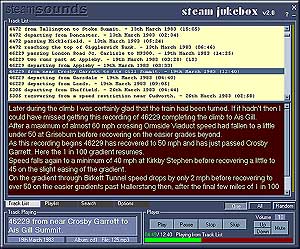
Steam Jukebox Player is a programme for playing and organising the complete collection of steamsounds recordings in mp3 format.

Steam Jukebox Player is provided free with each Steam Jukebox disk.
Use it to:

  • Play the recordings
  • Read comprehensive notes about the recordings
  • Search for recordings by loco number, railway, or location
  • Find lineside or on-train recordings
  • Create and save playlists
  • Export recordings to a portable mp3 player
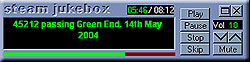
  • Have a mini player on your desk top

If you would like to try Steam Jukebox Player click on the download link below.

Click Here to download the installation package including sample recordings
(setupweb.exe 3.7MB)

If prompted, you should Run or Open the file when the download starts. Once the file has transferred the installation will begin.
When you begin a download of a EXE file you may see a message that says "This type of file could harm your computer if it contains malicious code". It's just warning you that .exe files can be dangerous and that you should trust the source.
Sometimes, when trying to download or run programs through your web browser, a message will appear indicating that it has come from an "Unknown Publisher". Steamsounds is far too small to have come to the attention of Microsoft so it's okay to go ahead and download this .exe file from here, but it's important to be vigilant about warning messages like that one. Make absolutely certain that you know and trust the source of the download, and never, ever authorise a download that you didn't ask for!
If you do not get the option to open or run, or you want to install later you can save the file on your hard disk and run it from there.

Once installed you will be able to run the programme from the icon on your desk top or the programme listed under 'Steamsounds' in All Programs on your Start Button where you will also find a user guide.

Included in the installation are six sample tracks. These are quite short and encoded at a lower quality to keep the size of the files down. The complete tracks will be encoded at 128kbs (CD quality).
To find the sample tracks look for 'sample' in the title in the track list.
The track list gives the complete listing of recordings for the first Steam Jukebox CD. You can read the notes for each of these recordings but if you try to play them you will get an error message as you do not have the actual recordings available. If this happens, just click OK and look for one of the sample tracks.

If you would like to have a look at the User Guide follow this link

You can also download the track list for the complete collection along with comprehensive notes about each track.

Click here (albums.zip 442kb)


Once you have downloaded and installed Steam Jukebox Player. Unzip the downloaded file albums.zip to a suitable folder then start Steam Jukebox Player.
Click on the Options Tab, then the Load New Album button.
Navigate to the folder where you unzipped the files and select album all.sdb.
You can then read the track list, read notes, search for recordings - in fact you can do anything (other than play the recordings!) that you can do with the complete collection.

The six sample mp3 recordings included in the download are encoded at 64kbs, a lower quality than those supplied on disk which are 128kbs, CD quality recordings.

If you have any questions please use the feedback facility.

Click here to
close this Window